
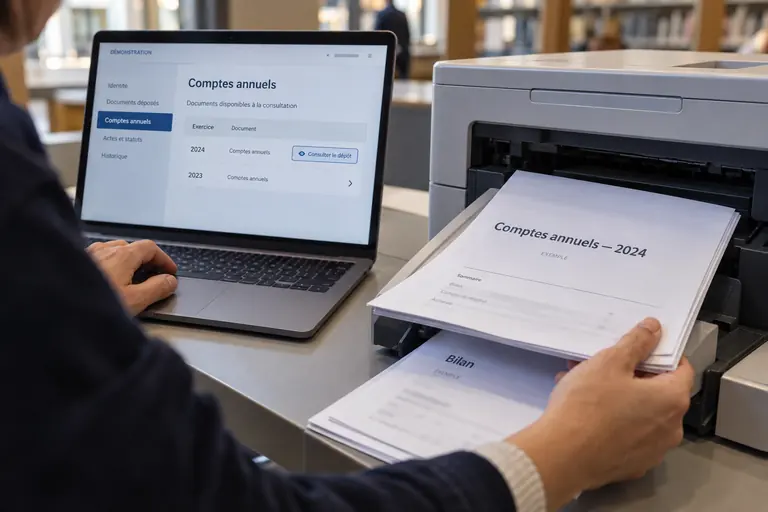
In Spain, commercial register D2 annual accounts software is the desktop application that turns a company's approved figures into the structured file the registry expects at deposit. It is a filing aid, not an accounting package: users enter or import the balance sheet, income statement and notes, the program checks mandatory fields, and it produces a file ready for signature and submission. The Colegio de Registradores, the body grouping the country's registrars, is the reference for current versions and technical requirements, so filers should check its instructions before relying on any copy.
What the D2 application actually does
The D2 application sits between a company's finished bookkeeping and the registrar's desk. Accountants key in the figures approved by the shareholders, or load them from their ledger software, and the program arranges everything into the sections the registry reads. It does not decide how a transaction should be booked, and it does not audit anything. Its job is presentation, which is why the numbers must already be settled before anyone opens it.
Without a dedicated tool, a company would have to assemble a bundle of documents by hand and hope that no required field was missing. The application reduces that risk by flagging blanks, mismatched totals and unfilled mandatory notes before the file leaves the office. A favourable outcome is never guaranteed, because the registrar still reviews the material, but avoidable omissions tend to disappear. Registrars in Spain are legally trained professionals who examine what is presented to them.
Their corporate body publishes the specifications that software has to follow, and the D2 program is the practical implementation of those specifications for companies that prefer a ready-made route over building their own integration. Another practical point is that the application works on structured fields rather than free text. Each box corresponds to a line of the official models, so a figure typed in the wrong place changes the meaning of the whole statement. Reading the on-screen preview against the approved paper accounts before generating the file is a habit worth building from the first year.
Who tends to use it and who does not
Small and medium-sized limited companies are the typical audience. A family business with a single administrator and a modest ledger can complete the form in an afternoon, attach the approval certificate and send everything electronically. For such filers the tool is often the most direct way to meet the yearly deposit duty without commissioning custom development or paying for a specialised integration. Larger groups behave differently.
They normally keep their figures in enterprise systems and export structured data automatically, so the D2 screen becomes a verification step rather than a data-entry tool. Several subsidiaries may be handled in sequence by the same team, each with its own identification data, which makes version control and file naming a daily concern. Gestorías and independent accountants form a third group. They often keep one installation for all their clients and archive each generated file by company and financial period.
Whatever the profile, the person pressing the final button should be someone authorised to sign, since the submission binds the company and its administrators. Training matters too. When staff change, the new person should receive a short checklist covering where installation files come from, how identification data is verified and where finished files are archived. Without it, small differences in how each colleague works can produce inconsistent filings from one financial period to the next.
From first screen to finished file
A sensible session starts with the identification data: legal name exactly as entered in the registry, tax identifier, registered address and the period covered. Those details must match the registry sheet, because the registrar compares them. Only after that comes the accounting content, entered under the model that applies to the company, whether full, abbreviated or the model for smaller entities. Next the user completes the balance sheet, the profit and loss statement and the notes. The program recalculates subtotals and warns when assets and liabilities do not agree.
Many people run a validation routine at this stage, if the application offers one, because it catches structural problems that are invisible when reading numbers on a screen. The last stage is generating the file and attaching the supporting documents, such as the certificate recording the approval of the accounts and the proposal for allocating results. The file is then signed with a qualified electronic certificate and sent through the electronic channel. Saving drafts regularly avoids losing hours of work if the session is interrupted.
Recurring mistakes that cost time
Most problems are about data, not technology. Companies confuse current-year and prior-year columns, pick the full model when they qualify for the abbreviated one, or type an approval date that disagrees with the minutes of the shareholders' meeting. Comparing the result with the approved accounts line by line before generating the file removes almost all of these errors. Identification slips come second. An abbreviated trade name, a mistyped tax number or an outdated registered address can all prompt the registrar to suspend review and ask for clarification.
A quick look at an up-to-date registry extract before starting is cheap insurance against that delay. Signature and attachment issues complete the list. An expired certificate, a missing document or a file edited after generation can invalidate the submission. Keeping last year's file as a template for comparison also helps, since structural differences between periods reveal a changed model, a forgotten note or an altered identifier.
Where accounting rules take over
The application collects information but never judges it. How a lease, a provision or a financial instrument is recognised depends on the accounting framework that applies to the company, and the responsibility for following it lies with the administrators and their advisers. A wrongly classified figure does not become correct by passing through the program, and the registrar does not redo the bookkeeping. Public bodies responsible for accounting standards publish the reference rules and answer consultations, which makes them a natural first stop when a question concerns the content of the statements rather than the mechanics of filing.
Companies with complex transactions, such as business combinations or unusual financial instruments, usually benefit from a professional review before the figures are entered. Because requirements evolve, an old installation can produce an incomplete or incompatible file. Before each financial period it is wise to confirm that the version in use is still the current one and to read any release notes. This text is general orientation and does not replace advice on a specific case.
Keeping evidence and considering alternatives
Once the filing is done, the generated file, the proof of submission, the certificate of the approving resolution and a readable copy of the accounts should be stored together. That folder answers later queries from the registry, simplifies next year's preparation and shows that the administrators acted diligently if a dispute ever arises. It is also worth confirming with the registry whether the D2 route is the one intended for a given company. Structured files in XBRL, or a professional using proprietary software, are other ways to present the same information.
The choice depends on size, the accounting package in use and the preference of whoever files. In the end, the tool is only as good as the data fed into it. Companies that start with complete documents, a valid certificate and enough time before the deposit obligation falls due usually avoid the bulk of the difficulties that affect annual filings in Spain. A final habit is to schedule the work backwards from the deposit obligation. Reserving time for gathering the approval certificate, testing the electronic signature and resolving a possible registrar query turns a stressful last-minute task into an ordinary item on the yearly calendar.
Frequently asked questions
Is the D2 program an accounting package?
No. It is a presentation and filing aid. You enter or import figures that your bookkeeping has already settled, and the application arranges them in the structure the registry reads. Decisions about how to record transactions remain with the company, its administrators and their accountants, and the registrar does not recalculate or correct the underlying bookkeeping.
Do I need a digital certificate to send the file?
In practice, yes. Electronic submission to the registry requires a recognised qualified certificate belonging to a person entitled to sign for the company, such as an administrator, or to an authorised professional acting for it. An expired or unsuitable certificate is a common reason for a failed or invalid submission.
What if the registrar finds a defect after I file?
The registrar issues a notice explaining the problem, and the company can correct the file or provide the missing document within the period stated. Running any validation function offered by the software beforehand, and checking identification data against the registry sheet, greatly reduces the chance of that happening.